Angular component tests can run in jsdom or in a real browser through Vitest Browser Mode. When choosing an environment, ask what the test needs to confirm: form validation, a focus change, container dimensions, or the ability to click a button with a pointer.
We tested six such scenarios. Before writing the tests, we defined the expected behavior and one isolated mutation that deliberately broke it for each scenario. We chose the mutations ourselves to examine different mechanisms. This is a small demonstration fixture, not a random sample of defects in a working application.
Some of these mechanisms apply to web interfaces in general. Here, we tested them in Angular components; S4–S5 show the roles of TestBed, signals, and deferred positioning in detail.
We ran the working and defective versions of each Angular component in three configurations:
- A: jsdom + synthetic actions. Vitest runs in jsdom, with interactions performed by
@testing-library/user-event. - B: Chromium + synthetic actions. The same approach using
@testing-library/user-event, but running in headless Chromium through Browser Mode. - C: Chromium + provider actions. The same Chromium, using actions from
vitest/browserthrough the Playwright provider.
The experiment asked which of the predefined user requirements these tests verified in full, and which observations they lacked. It does not compare speed or rank the tools.
The distinction between synthetic and provider actions is already described in the Marmicode Cookbook, including an example of a covered button. We added tests of six predefined mutations, a separate hit test without a provider action, and an account of a mistake in our own geometry test.
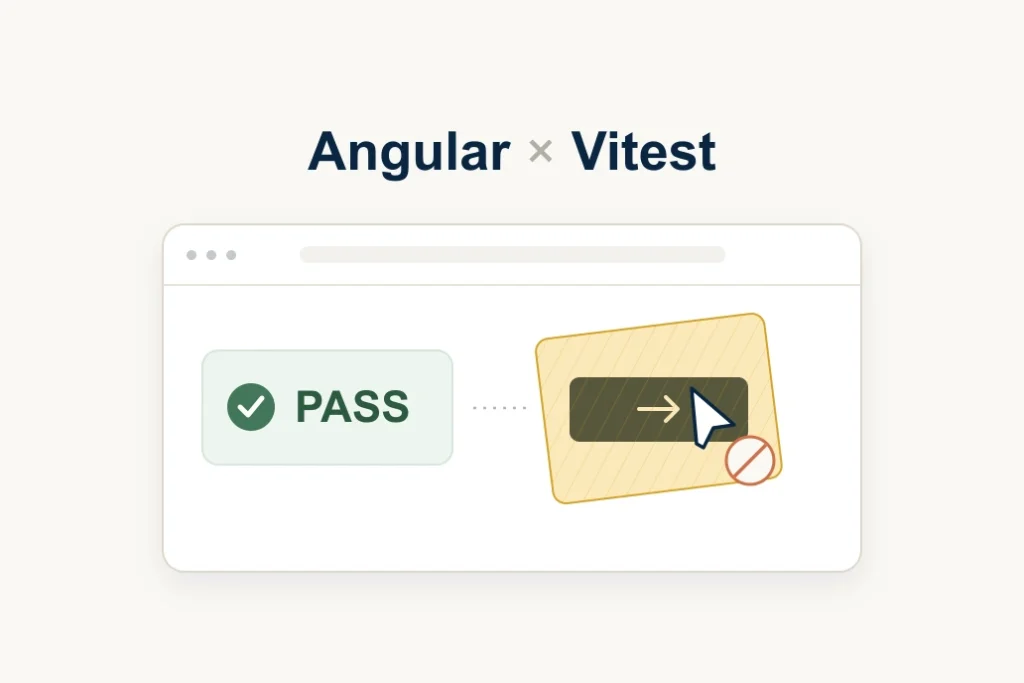
The overall picture: in S1–S3, jsdom was enough for the form, programmatic focus, and the specified Tab sequence. S4–S5 required real browser layout. In S6, a synthetic click called the covered button's handler even though a pointer could not reach it. That test stayed green when run in Chromium, too.
What counted as a complete check
Before a test could be credited with detecting a mutation, it had to pass on the working version. We then examined how much of the expected behavior it actually checked.
bug_detected: the working version passed, and the defective version violated the full predefined criterion.partial: the test checked part of that criterion.unsupported: in this fixture, the full criterion could not be verified reliably without substituting the behavior under investigation.
unsupported refers to the complete behavior in this fixture. A mock can check the response to a size or the argument passed to observe(), but those are different assertions. Neither partial nor unsupported means false_negative, a missed defect in a complete check.
| Scenario and user criterion | A: jsdom + synthetic | B: Chromium + synthetic | C: Chromium + provider |
|---|---|---|---|
| S1. Form: reject an invalid email, then submit a valid one | bug_detected |
bug_detected |
bug_detected |
| S2. Dialog focus: move focus to Close when opening, and return it to Open when closing | bug_detected |
bug_detected |
bug_detected |
| S3. Tab order: visit the available controls and skip the hidden one | bug_detected |
bug_detected |
bug_detected |
| S4. Container width: update after the inner container shrinks without a viewport change | unsupported |
bug_detected |
bug_detected |
| S5. Popover near the edge: switch sides and keep the entire interactive rectangle inside the viewport | unsupported |
bug_detected |
bug_detected |
| S6. Covered button: allow a pointer click at the center and update the status | partial |
partial |
bug_detected |
The table describes the original test adapters: the actions, waits, and assertions written for each configuration. The later S6 check using elementFromPoint is excluded; it is discussed separately below.
The components, styles, and mutations stayed the same across configurations. The adapters differed: in S1, A/B used type and C used fill; in S3, A/B called user-event.tab and C sent a browser Tab. The results therefore cannot be attributed to a single, fully isolated property of the environment.
Where these scenarios fit in the testing pyramid
In all six scenarios, we mounted an individual component through TestBed and tested it together with its template and DOM events. In scope, these are component integration tests. We did not run a complete application with routing, a backend, and a user flow. Browser Mode alone does not turn such a test into an E2E test.
For the specified behavior in S1–S3, jsdom was sufficient. S4–S5 needed browser dimensions and notifications; S6 needed a check that the click was possible. Separate unit tests in these scenarios can check a validator, the state chosen for a width, or a position calculation. Those tests are useful, but they do not confirm the component's interaction with the browser. E2E tests would be needed for a complete application flow; the experiment did not investigate that level.
S1–S3: form, focus, and Tab
In S1, the form rejected bad.example, displayed an error, and kept the submission count at zero. It then accepted ok@example.com. The mutation removed the format check while retaining the empty-field check. All three configurations detected it. Validation was handled by the application with novalidate; the browser's native validation message was outside the scenario.
For S2, we checked focus: after the dialog opened and rendering settled, focus had to move to Close; after closing, it had to return to Open. The mutation removed the focus change on opening. Checking document.activeElement detected it in A, B, and C.
In S3, the test pressed Tab three times from a known starting position. The expected sequence was First, Second, End. Between the last two controls was another control in a section with display: none. Replacing that property with opacity: 0 left the control in the Tab order while making it visually hidden. Both user-event.tab in jsdom and the browser action detected the change.
These tests needed no layout measurements. Their results concern programmatic focus and the specified Tab sequence. We did not test a focus trap, visibility: hidden, inert, or other forms of keyboard navigation. A component using those ways of restricting interaction needs separate Tab-order and focus checks. S3 is not a complete accessibility test.
S4: which container ResizeObserver watches
The component changed its label according to its container's width. At 360 px, it displayed Wide. After shrinking to 240 px, below the 300 px threshold, it had to display Narrow. The viewport stayed unchanged, and the outer container remained 400 px wide.
In the working implementation, ResizeObserver watched the inner container. The mutation switched it to the outer one. The relevant width changed, but the observer was watching a different element.
In the Angular component, the notification updated a signal whose value appeared in the template. An excerpt from the working implementation:
this.observer = new ResizeObserver((entries) => {
  this.compact.set(entries[0].contentRect.width < 300);
});
this.observer.observe(this.inner.nativeElement);
The observer was disconnected when the component was destroyed. The source already had a separate hook for that:
ngOnDestroy(): void {
  this.observer?.disconnect();
}
Manually passing a width of 240 px to the callback can check that it switches the component's state. But that test delivers the notification regardless of which element the browser observes. Without a separate check of the observed target, this substitution does not check the error in our scenario.
A more targeted mock test could record the argument to observe() and compare it with the inner container. Such a spy could detect this exact mutation in jsdom. It would check which element the component subscribed to. That is a useful implementation check, but it does not confirm the entire user scenario: after the container actually shrank, the browser delivered a notification and the label updated. This spy was not part of the main series.
In B and C, we actually shrank the inner container and waited for the label to change. Both tests detected the mutation. For A, the complete scenario was unsupported: the fixture had no independent layout measurements or browser notification.
S5: where the popover ended up
The component opened a popover next to its trigger, the element it was anchored to. In the normal position, the popover had to appear on the right. When the trigger moved near the right edge, to left = 740 in an 800 × 600 CSS px viewport, the popover had to open on the left.
We checked the side and the entire interactive rectangle against the viewport, with a one-pixel tolerance. The mutation disabled the side switch. Opening in the normal position still worked, but near the edge, the popover's right boundary reached 948 px.
After the tests were corrected, B and C detected the violation. In A, the complete scenario was unsupported: it required measuring the popover's actual position.
Why the first browser test passed on the defect
After opening, Angular added the popover to the DOM, while its position was calculated later through requestAnimationFrame. In between, the element existed but retained coordinates from the previous opening. The test could check that old rectangle and pass on the defective version.
We corrected the wait in two steps. First, we waited for the trigger to move to the edge before opening. That was not enough: we also needed to wait for the popover's own position to update. Only then did the test check its side and all four viewport boundaries.
The wait for the update allowed both the correct and incorrect new positions. It therefore did not give the test its expected answer. The subsequent assertions about the side and boundaries detected the error.

The browser provided real coordinates, but our test read them too early. After correcting the waits and completing the assertions, we repeated the final series. We retained the early false passes in the deviations log and excluded them from the matrix.
How we corrected S5: Angular, the wait code, and the 500 threshold
All components were mounted through Angular TestBed. The helper created a fixture, appended its element to the document, and ran:
fixture.detectChanges();
await fixture.whenStable();
This is the component setup actually used in the experiment.
Starting with Angular 21, zoneless is enabled by default. TestBed's mode depends on whether zone.js is loaded: with it, Zone-based change detection is used by default; without it, zoneless is used. An explicit provider can change that choice. The fixture's saved configuration did not load ZoneJS.
For new zoneless tests, Angular recommends waiting for fixture.whenStable() where possible, allowing Angular to perform the scheduled update. Calling detectChanges() manually forces change detection and can hide a missing notification of a state change. The excerpt above preserves the original helper rather than replacing it with a new implementation.
User actions then changed the component's state. In S5, opening the popover looked like this:
open(): void {
  this.opened.set(true);
  requestAnimationFrame(() => this.place());
}
The popover appeared through Angular @if. In the next animation frame, place() measured the trigger and popover and updated the coordinate signal. Fixture setup with whenStable() happened before these user actions. In the opening test, we separately waited for the required geometry change. Angular stability and the popover's correct position are different conditions: whenStable() is not an assertion about an element's side or boundaries.
We added the same waits in B and C. This excerpt from the corrected B test conveys the sequence:
await user.click(buttons[0]);
await until(() => Math.round(trigger.getBoundingClientRect().left) === 740);
await user.click(trigger);
await until(() => popup().left >= 500);

expect(popup().right).toBeLessThan(trigger.getBoundingClientRect().left);
expect(popup().left).toBeGreaterThanOrEqual(-1);
expect(popup().right).toBeLessThanOrEqual(801);
expect(popup().top).toBeGreaterThanOrEqual(-1);
expect(popup().bottom).toBeLessThanOrEqual(601);
Here, buttons[0] moves the trigger to the edge, trigger opens the popover, and popup() reads its rectangle. The shared until helper polled the condition every 20 ms until it succeeded or timed out. The excerpts preserve the code actually used. In your own test, you can express the wait with the built-in vi.waitFor or expect.poll; the choice of helper was not investigated here.
Before repositioning, the popover stayed in its old location: its left boundary was roughly 148 px from the screen's left edge. Checking the position at that point would read the result of the previous opening.
The number 500 is an intermediate threshold here. While the coordinate is roughly 148, the test waits. Once the popover moves toward the trigger near the right edge, the wait ends. Both the correct and defective new positions pass this threshold, so left >= 500 alone does not mean that the component works correctly.
The correctness check follows: the popover must be to the left of the trigger and stay inside the screen. The defective version passes the wait but then fails because its right boundary reaches 948 px. The threshold of 500 was chosen for the two positions in this fixture; it cannot be copied unchanged into other tests.
After refining the waits, adding the vertical boundaries, and correcting the CSS, we repeated the final series. The early logs were retained in the deviations log and excluded from the matrix.
S6: three ways to check a covered button
A visible Confirm button, 160 × 48 px, had to change the status from Pending to Confirmed after one pointer click at its center. The code excerpts retain the fixture's original Russian labels: Подтвердить (Confirm), Ожидает (Pending), and Подтверждено (Confirmed).
A decorative layer covered the center. In the working version, it had pointer-events: none. The mutation changed the value to auto: the button and handler stayed the same, but the layer intercepted clicks.

The original A/B test:
const fixture = await mount(CoveredButtonComponent);
const button = fixture.nativeElement.querySelector('button') as HTMLButtonElement;
const output = fixture.nativeElement.querySelector('output') as HTMLOutputElement;
expect(output.textContent?.trim()).toBe('Ожидает');
await userEvent.setup().click(button);
await until(() => output.textContent?.trim() === 'Подтверждено');
Here, userEvent is imported from @testing-library/user-event. The handler ran and the status changed even on the defective version. The original A/S6 and B/S6 therefore received partial.
user-event models interaction sequences and performs its own checks. Its pointerEventsCheck checks whether an element has or inherits pointer-events: none. Testing Library: pointerEventsCheck. Separately, the pointer API documentation says that the library does not determine whether the described action is possible at the specified point in the layout. Testing Library: pointer.
The button itself did not have pointer-events: none in S6. The problem was a different layer above it. The target passed to click was still the button, and the test only checked the status change afterward. Even real Chromium did not add a pointer hit check to that code.
Provider click
In C, the action used page from vitest/browser. The corresponding excerpt:
const fixture = await mount(CoveredButtonComponent);
const output = fixture.nativeElement.querySelector('output') as HTMLOutputElement;
expect(output.textContent?.trim()).toBe('Ожидает');
await page.getByRole('button', { name: 'Подтвердить' }).click();
await until(() => output.textContent?.trim() === 'Подтверждено');
The click was called without force. The working version passed. On the defective version, the provider reported that .decoration intercepted pointer events and could not perform the action. The actionability check detected the obstacle before the click.
A separate B test with elementFromPoint
After the main series, we added an exploratory B check using document.elementFromPoint. The method returns the topmost element at a given point. We calculated the center from the button's actual rectangle. This function came from that test:
const hitAtCentre = () => {
  const rect = button.getBoundingClientRect();
  expect(rect.width).toBeGreaterThan(0);
  expect(rect.height).toBeGreaterThan(0);
  const x = rect.left + rect.width / 2;
  const y = rect.top + rect.height / 2;
  const target = document.elementFromPoint(x, y);
  return { x, y, target, hitButton: target === button || button.contains(target) };
};
We performed the check before and after the synthetic click. In the working version, the center (80, 24) contained the button or its descendant. The defective version returned .decoration, even though the handler still changed the status. The test required hitButton: true in both measurements and detected the overlap.
| S6 check | Observation |
|---|---|
| Original A/B: synthetic click and status | The handler changes state after the event is delivered. |
C: provider click without force and status |
The action passes actionability checks, executes, and changes the status. |
| B + hit test (exploratory, outside the main matrix) | The button or its descendant is at the center before and after the click. The defective layer violates this assertion. |
B now had two different tests. The original only checked the status change after a synthetic click. The later test also asked which element was at the click point and detected the overlap.
The main table describes the first set of tests. B/S6 therefore remains partial there, and the added test's result is reported separately. This is not a limitation of Browser Mode: the browser provided the data for a hit test, but the original test did not request it. Checking a single point is also not equivalent to the provider's full set of actionability checks.
In this scenario, the environment provided geometry information, the action determined how interaction happened, and the test oracle defined what counted as a correct result. A status change was enough to check the handler, but not the promised pointer click.
How to check your own test
Look for a defect that would still leave your test green:
| What the test already checks | What it might miss | What observation to add |
|---|---|---|
| The dialog appeared | Focus stayed on the opener | Check activeElement after opening and focus restoration after closing. |
| The component reacts to a supplied size | The observer subscribed to a different container | Actually resize the intended container and wait for the response. |
| The popover exists | It did not switch sides or extends beyond the viewport | Wait for layout to update, then check its position and boundaries. |
| The status changed after a synthetic click | Another layer blocks the button | Perform a provider action or an explicit browser hit test at the specified point. |
For a form, programmatic focus, or a specific Tab order, first check whether your existing jsdom test has enough observations. In a keyboard scenario, perform the Tab sequence: calling .focus() on the expected elements does not check the transitions.
When a requirement depends on actual dimensions, position, or a browser notification, check those data in the browser. A mock can complement that check with a test of the logic. The test's name and description should reflect the part of the behavior it confirms.
Check any chosen defect alongside the working version. If both fail, first investigate the test and its conditions.
Experiment conditions
The tests ran on Windows 11. B and C used headless Chromium with an 800 × 600 CSS px viewport and a scale factor of 1.
We chose six defects ourselves and tested them in a small fixture. The results explain what these tests check. They do not tell us how often these errors occur in working applications or how many defects the same approach will find in another project. We did not run the tests on other operating systems or browser engines. Large test suites and E2E flows were not tested either.
These materials cannot support a speed comparison: the old local runs performed different amounts of work. We did not measure memory, CI behavior, or migration costs. There are no conclusions about flakiness, either. One early cold run of S4/S5 timed out; we did not establish the cause.
Before writing the article, we checked the saved results and logs. There was no independent repeat on a different machine with a clean installation.
Versions and saved results
The fixture used the following versions:
| Tool | Version |
|---|---|
| Angular | 22.2.0 |
| Vitest | 5.0.2 |
@vitest/browser-playwright |
5.0.2 |
| jsdom | 30.1.1 |
| Playwright | 1.63.0 |
@testing-library/user-event |
14.6.7 |
| Chromium | 153.0.8010.12, revision 1243 |
| Node.js | 24.19.0 |
Before the final series, we increased the condition wait to 5 seconds and the test timeout to 15 seconds.
We retained the protocol, code, patches, lockfile, configuration, and run results. To verify the table, we re-examined the archive and checked 21 runs against their JSON reports: 3 runs of the working versions and 18 with mutations. The result was unchanged. For S6, we also examined the text logs: the provider reported that the layer intercepted the click. A test-failed flag alone would not have been enough to support that explanation.
Takeaway
In the original A/B tests for S6, the handler ran and the covered button passed the test. The overlap was detected when we checked whether the click was possible. Start there when choosing an environment: what must the user be able to do, and what observation in the test confirms it?