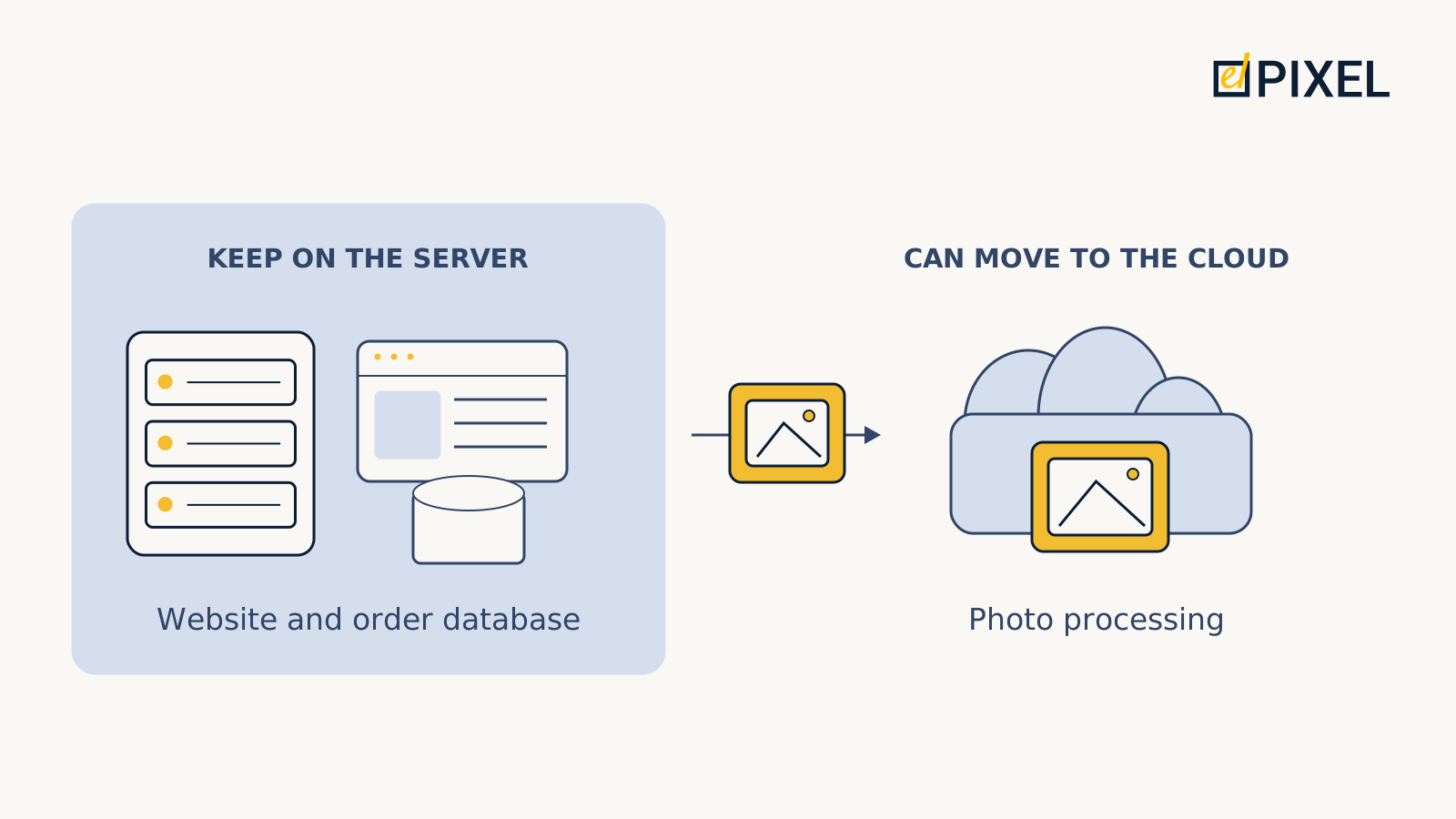
Suppose an online store is preparing for a promotion. Its website, order database and product photo processing all run on one server. The team asks for more capacity so visitors can check out without delays. The business owner has to decide whether it is worth paying for spare capacity all year to cover a short peak.
The cloud lets a team adjust resources to a task and transfer some maintenance work to a provider. That does not mean the whole store needs to move. If photo processing slows down the website, it makes sense to investigate moving that task first. If the cause is a slow database query, a change of hosting may not be needed at all. The useful question is which product tasks benefit from cloud capabilities and which already work well on a dedicated server.
What changes when you move to the cloud
A dedicated server is a physical machine used by a single customer. It has a particular processor, memory and disk configuration. The team deploys its application there, while responsibility for software updates and incident resolution depends on the support agreement.
Cloud applications also run on physical equipment, but the team usually works with virtual servers and separate storage, networking or database services. This expands how infrastructure can be managed: resources can be allocated to individual parts of the product, added when needed and released when work is complete. The available capabilities and constraints depend on the platform.
For a business owner, two different outcomes matter. One is flexibility, such as adding capacity only for a promotion. The other is maintenance: the team wants a provider to operate a particular component. Moving an application to an ordinary cloud virtual machine does not, by itself, achieve the second outcome. Updating the software installed on it does not automatically become the provider's responsibility.
A managed service, such as a database service, can take over some of that work. The product team still remains responsible for its data, access permissions and application behaviour. Before choosing a service, establish exactly which work it removes and which responsibilities remain with the customer. For more detail on this division, see the AWS shared responsibility model.
Which tasks are easier to separate from the main server
Consider the photo processing example. A shopper does not necessarily have to wait for processing on every page request: new images can be prepared after upload, and the website can use the finished files. If the product allows that workflow, the application places jobs in a queue and separate workers pick them up. More workers can be added when many photos arrive, and surplus resources released once the queue is cleared.

The team can test that component without switching the whole store. It must account for failures and retries: running a job again must not create incorrect duplicates or lose work. Report generation and other background tasks can be considered in the same way, provided their requirements allow waiting.
The website itself is more complicated. During a promotion, additional application instances can handle visitors' requests in parallel, with a load balancer distributing traffic between them. Those instances must work with consistent data. A shopping cart stored only in one machine's memory, for example, will be unavailable to another machine. Adding application servers also does not remove a bottleneck in the shared database.
Cloud elasticity is therefore useful when the product is prepared to distribute work this way. The team first checks which parts can run in parallel and what limits overall performance, then configures resources to be added and removed. The mechanism is explained in the AWS guide to scaling. That guide describes platform capabilities; it does not demonstrate that a particular store is ready to use them.
For some tasks, temporary use matters more than scaling. A test environment can be created for a testing period and removed afterwards. Potential savings depend on working practices: resources that are no longer needed must actually be shut down, while necessary data is kept separately. A managed database is usually considered for a different reason: reducing specific operational duties. Its compatibility, configuration options and recovery process need separate assessment because almost every user action may depend on it.
When a dedicated server remains a sensible choice
The cloud scenarios above share a reason for change: resources or responsibilities can be adjusted component by component. If that need is absent, migration needs a different justification. Under a consistently high load, renting a physical machine may cost less than comparable cloud resources, especially when its capacity is used regularly. Only a calculation based on the actual workload can establish that.
Application requirements also matter. A particular physical configuration and direct control over hardware may be important. However, high performance alone is not a reason to choose only dedicated servers: cloud offerings also vary, including virtual machines with dedicated CPU resources. Those resources differ from renting an entire physical machine, so the actual offers must be compared on their terms.
Even a suitable cloud option may not justify changing a working product. If demand is predictable, support is organised and the current server meets requirements, migration and application changes may cost more than their expected benefit. This matters especially when an older product's components are tightly coupled: separating one task may require changes in several places.
If a limitation can be resolved by tuning the database or fixing the application, investigate that route first. The diagram below relates observable conditions to the first step worth checking.

How to compare costs without creating a false saving
Choosing between keeping the server, moving one component and migrating the whole product requires estimates for the same workload and availability requirements. Otherwise, the cost of a working product may be compared with the price of one cloud machine, leaving necessary components and support out of the calculation.
Ask the team to include compute, disks, backup storage, data transfer, network components, monitoring and specialist time. Show the one-off application changes and migration costs separately, including the period when both environments run at once. For the cloud option, estimate ordinary demand, the expected peak and data growth. This makes it clear which assumption has the greatest effect on the total.
A partial move needs the same calculation. Keeping the application on a dedicated server while moving its database to the cloud creates a dependency on the connection between them. Latency and loss of that connection affect user actions, and data transfer may become a separate expense. Infrastructure should therefore be split after its component dependencies have been checked, rather than simply because separate hosting is technically possible.
The same principle applies to resilience. One application machine remains one machine wherever it is rented. If the business needs to keep operating when it fails, both estimates must include the necessary redundancy and a recovery process. Possessing a data backup does not, by itself, show when shoppers will be able to place orders again.
How to test the decision before a full migration
An estimate shows expected costs; a pilot tests the assumptions on one component. Before starting, the team should measure the baseline: when demand grows, which resource limits the work and what users experience at that point. These observations help distinguish a capacity shortage from an application fault and provide a basis for evaluating the change.
Agree on acceptance criteria in advance. For background processing, they might include completion time, no lost jobs and the cost of execution. For a website, test the speed of a key user action under the agreed load and recovery after failure. The numerical thresholds should come from business requirements, rather than the capabilities of a preferred platform.
A rollback plan belongs alongside those criteria. If data has already changed in the new system, switching an address back is not enough: the changes must be preserved without disrupting the product. Before the transition, assign responsibility for the rollback decision and agree how data integrity will be checked.
After the pilot, the owner should have measured results, a full cost estimate and a clear division of responsibilities. These provide a basis for extending the migration, changing the approach or keeping the dedicated server. When the assessment requires separating application components, changing data handling or revisiting the architecture, the task can be discussed with EL Pixel as part of product development.
For an initial message, describe the product, its current hosting arrangement, the observed limitation and the next expected change in demand. That is enough to start discussing the task and requirements without a completed technical specification.