Imagine an online store losing several hours of orders during an update. The storefront still loads, the products are there, and the server is running. But staff cannot see what they need to ship or where to send it. Email and payment records may help reconstruct some purchases. Addresses, line items, and customer notes still need to be recovered.
Backups let you restore a saved state of your data. How recent that state is, and how long it takes to resume work, depends on the backup strategy. A product owner needs to know what gets saved, what losses are acceptable, and who will handle recovery.
When backups are necessary
You need backups when losing data would prevent the business from fulfilling orders, serving customers, or continuing its work, and recreating that data would be difficult. Order records, support conversations, and uploaded documents can matter even in a small product with its first customers.
Start with one question: if this data disappeared, where would we get it again, and how long would that take? A customer’s message or original document may exist only in your application. Put protection in place before the product starts accepting real data.
A cache or search index can sometimes be rebuilt. In that case, preserve the source data and check that rebuilding it will take an acceptable amount of time. Temporary files and a constantly changing order database do not need the same backup schedule.
Before a migration or bulk data change, create an additional recovery point and agree on a rollback procedure. Restoring an older backup can also remove orders received since it was taken. The team needs a way to preserve or reconcile those new records.
What can happen without usable backups
Data loss does not require a major outage. Deleting the wrong folder, misconfiguring an import, or running a change against production instead of a test database may be enough.
| Event | Possible business impact | What the strategy needs |
|---|---|---|
| Accidental deletion or bulk modification | Missing requests, prices, or documents; manual reconciliation | Versions from before the mistake, retained long enough to discover it |
| Hardware or storage failure | The application stops and current data becomes unavailable | A copy outside the failed resource and a recovery procedure |
| Failed release or migration | Damaged data or data incompatible with the application | Recoverable data and a compatible application version |
| Compromised account or malware | An attacker may destroy production data and accessible backups | Separately protected copies and access controls |
| Loss of access to the main environment | Data exists but the business cannot use it | A way to retrieve copies and restore elsewhere |
The cost goes beyond missing files. Staff spend time reconciling records, orders are delayed, and support has to handle the consequences. If the original information exists nowhere else, some losses may be permanent.
Backups support recovery after a failure. Preventing data leaks and reducing downtime need additional measures, such as access controls and a prepared recovery environment. A second server holding a live replica may receive the same accidental deletion as the primary. You still need a way to return to a state before the mistake.
Start with the data and recovery requirements
List what the application needs to run: databases, user files, code, configuration, and service credentials. Record where each item lives and who is responsible for it. Include dependencies such as payments, email, and authentication.
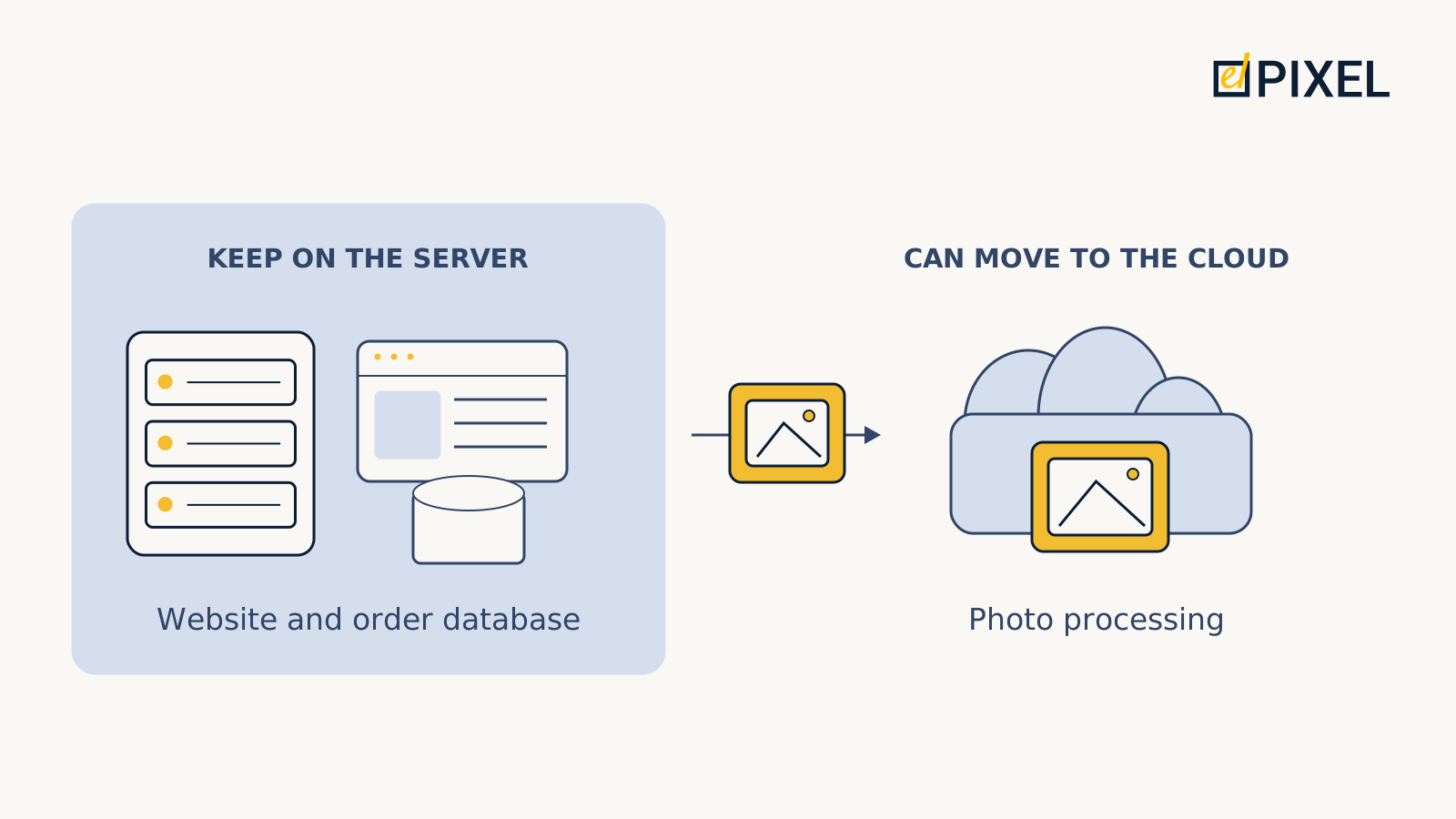
Check what the provider actually backs up. A built-in database backup may contain only information about files, rather than the attachments themselves. Restoring the database would then leave a deleted document missing. Files need their own protection.
Then agree on two targets:
- Recovery point objective (RPO): how much recent data loss is acceptable, measured in time. An RPO of one hour means you need to recover a data state no more than an hour old at the time of failure.
- Recovery time objective (RTO): how long the application can be unavailable, from service interruption until the required functions are restored.
Discuss these targets with the people responsible for business operations. Can sales cope with losing yesterday’s requests? Can the application remain unavailable until the next working day? Tighter recovery targets generally need more resources.
One daily backup cannot support a one-hour data-loss target without other recovery sources. More frequent backups do not necessarily mean faster recovery: getting access, deploying the application, and checking its behaviour also take time.

Choosing a backup method
The product owner sets acceptable loss and downtime. The team selects a method and demonstrates that recovery meets those requirements.
For a small dataset, full backups may be sufficient. Each copy contains the entire selected dataset. This works while backup and restore times, storage costs, and the interval between copies remain acceptable.
When full copies become too slow or large, teams can save changes. Incremental backups contain changes since the previous backup; differential backups contain changes since the last full backup. The team must make sure all parts needed for recovery are available and work together.
A busy database may need point-in-time recovery (PITR), for example to recover to just before a faulty import. PostgreSQL uses a base backup and archived change logs for this. The required log sequence must be complete. This mechanism does not restore all application files and configuration.
Where to keep copies and what to budget for
Choose storage according to the failures you need to handle.
| Approach | When to consider it | Benefit | Limitation |
|---|---|---|---|
| Separate local storage | Large datasets need fast recovery and someone can maintain the storage | Less dependence on an external connection | A site-wide incident may affect the original and copies |
| Remote or cloud storage | A copy needs to survive loss of the main location | Data is held elsewhere | Retrieval depends on the connection and service; storage and transfer may incur charges |
| A combination | You need local recovery speed and a separate path after site loss | Two recovery paths | Both stores need maintenance, funding, and testing |
The 3-2-1 rule is a useful starting point: three copies including production, two types of storage media, and one copy off-site. It does not specify backup frequency, retention, or access rights.
Compare the whole cost: storing and transferring copies, retrieving data, setup, maintenance, and recovery tests. Team time and test infrastructure add to the service bill. A lower price per gigabyte does not establish which strategy costs less overall.
Provider-managed backups can form the basis of a strategy if they cover the required data, history, and recovery times. If losing the primary account is in scope, you need a separately protected way to obtain copies. If rebuilding from scratch takes too long, consider a prepared recovery environment and the cost of maintaining it.
Frequency, retention, and protection
Set backup frequency according to acceptable loss and the rate of change. Retention also depends on how long it takes to discover mistakes. If an incorrect import is noticed after a week but only three days of history remain, the recovery point you need may already be gone.
Ask who can delete the copies. Storing them elsewhere will not address account compromise if the same credentials can erase both environments. Options include separate administrative permissions, offline copies, or immutable storage that restricts changes and deletion for a set period. Choose controls for the relevant failure scenario.
Automate copying, but send failure alerts to someone who knows how to respond. Track when the last usable backup was created: a scheduled job may have been failing for days. If copies are encrypted, the recovery operator must still be able to obtain the keys when the main environment is unavailable.
An example for a business application
Consider a hypothetical service that stores customer requests and documents. The business can reconstruct at most one hour of new requests and tolerate four hours of downtime. Staff reconcile imports weekly.
A nightly database backup is insufficient because almost a day’s requests could accumulate between copies. The team considers PITR and checks that recovery can reach a state no more than an hour old at failure. Documents need a separate copying process with the same acceptable delay.
The database and files must return to compatible states. A recovered request might reference a document that has since been deleted from storage. During testing, open attachments from recovered requests and check that the right users can access them.

In this example, the team proposes 14 days of history: a mistake may wait for the weekly reconciliation, with additional time needed to investigate. That period still needs checking against other loss scenarios and company requirements.
Preserve code and configuration when they change. Keep passwords and keys in protected secret storage accessible to the recovery operators. Measure the time needed to bring the service back. If deployment takes more than four hours, increasing backup frequency will not solve it; the team needs faster deployment or a prepared environment.
Keeping the strategy usable
Periodically restore into an isolated environment. Can a user sign in, open a request and its attachment, and create a new record? Restrict access to restored data and disable real payments and messages. Record timings and any fixes needed during the process.
Repeat checks after substantial product changes. The test schedule should reflect data criticality and the pace of change. An isolated test does not prove the full production RTO if detection, operator response, and traffic switching were outside its scope.
Start your conversation with a team or delivery partner with four questions:
- What would we lose if the main server or account became unavailable?
- How recent a copy could we retrieve, and where is it stored?
- Who will restore the application, and how long did the last test take?
- What has changed since that test, and is it covered by the backup plan?
The answers reveal actionable gaps: missing attachments, insufficient history, inaccessible keys, or recovery that takes too long. Those gaps can become concrete work items and a basis for comparing proposals.
Planning to launch or develop an application? Tell us about your project using the form below. Include the data you need to protect and the downtime your business can tolerate, so we can consider those requirements when discussing the work.