How We Decomposed a 2,800-Line Angular Component and What It Taught Us
In frontend development, a simple screen can easily turn into a component that grows faster than the architecture around it can adapt. At some point, such a file becomes hard to read, risky to change, and nearly impossible to evolve without side effects. That is exactly what we ran into on one of our Angular projects.
How the Component Got Out of Control
At the beginning, the screen was fairly simple, so keeping everything in a single component seemed like a reasonable choice. It sped up development and made the first iterations easier.
But the requirements kept growing. We added drag-and-drop zones based on Angular CDK, cards with context-dependent rendering, transition animations, and visual effects tied to the screen state.
After a few sprints, the component had grown to 1,800 lines of template and 1,000 lines of logic. The template became overloaded with conditional markup: the same UI element was rendered differently depending on status, data type, and user permissions. Finding the right section took minutes, and changing one block could easily affect another.
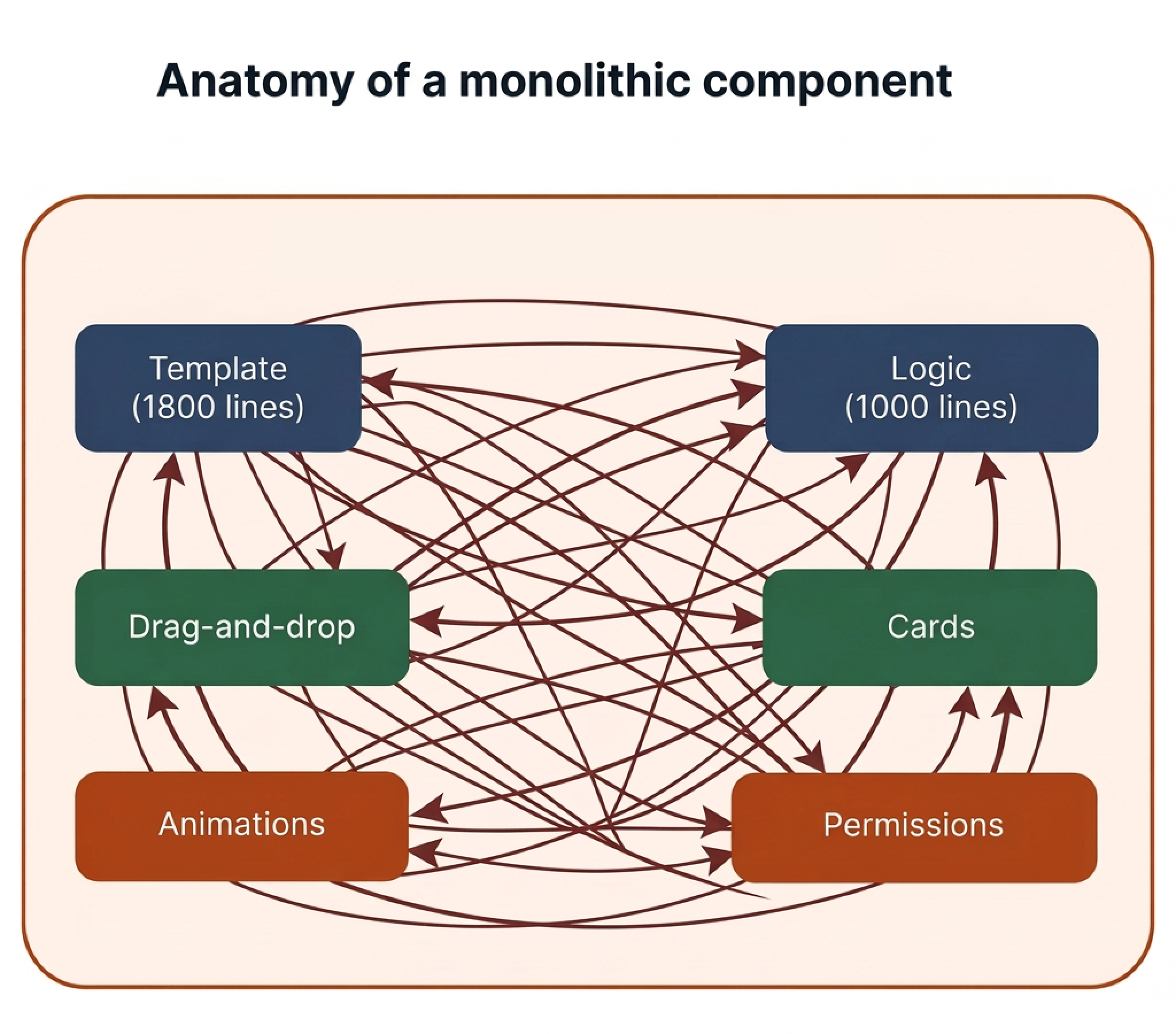
Diagram 1. Anatomy of a monolithic component
Why We Couldn’t Just “Split It”
The problem was not just the amount of code, but also how tightly the logic was coupled.
Drag-and-drop was spread across multiple parts of the component: moving a card affected several areas of the interface at once. Rendering depended on state, data type, and user permissions. Styles, animations, and rendering conditions were also tightly connected to the parent state.
Another challenge was that development did not stop. Other developers kept making changes to the same file, so the refactoring had to be done gradually, without long-term isolation in a separate branch.
The main difficulty was not the file size itself, but the fact that the template, logic, state, and interactivity had already become too tightly intertwined.
How We Approached the Refactoring
We started by dividing the screen into meaningful blocks and defining three things for each one:
- what data it receives;
- what events it emits;
- which part of the parent component’s state its behavior depends on.
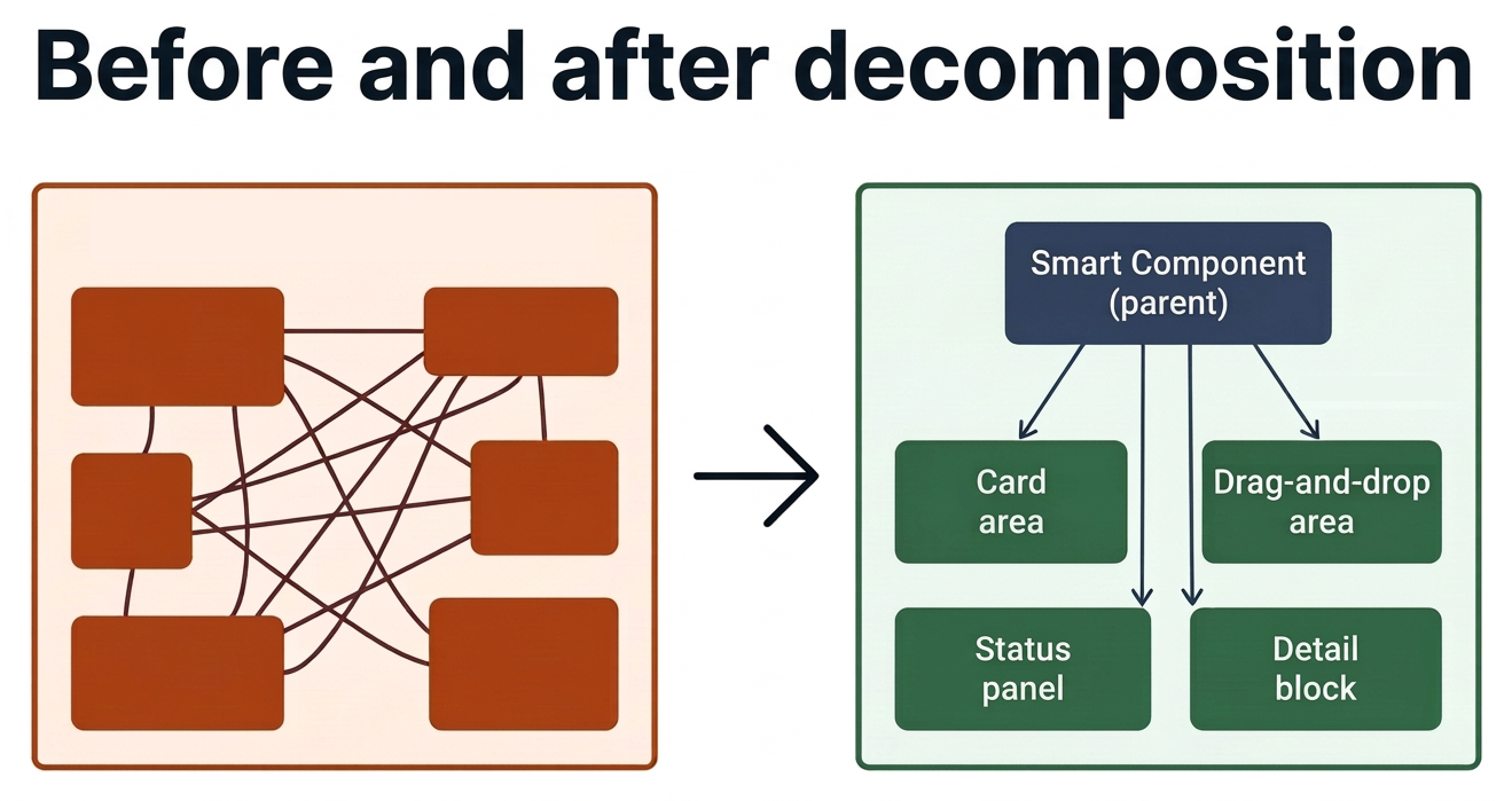
Diagram 2. Before and after: Smart/Dumb decomposition
As a baseline approach, we chose the Smart/Dumb component pattern. The parent component remained “smart”: it kept the data, state coordination, and the screen’s shared logic. The child components took over rendering, local interactions, and communication through a clear API based on @Input() and @Output().
The refactoring took three to four days of focused work. We moved blocks gradually, verified the visual behavior, and only then moved on to the next part. To avoid disrupting parallel development, we synced with the team several times a day and regularly merged changes into the main branch.
What Turned Out to Be the Hardest Part
The hardest part was splitting drag-and-drop.
In the original implementation, the movement logic was tightly coupled to the visual representation and the state of different zones. We needed to preserve the current behavior without regressions, but at the same time avoid carrying the old coupling into the new components.
In the end, we structured the interaction so that child components were responsible only for local rendering and events, while the parent knew only about the movement itself and updated the overall screen state on its side.
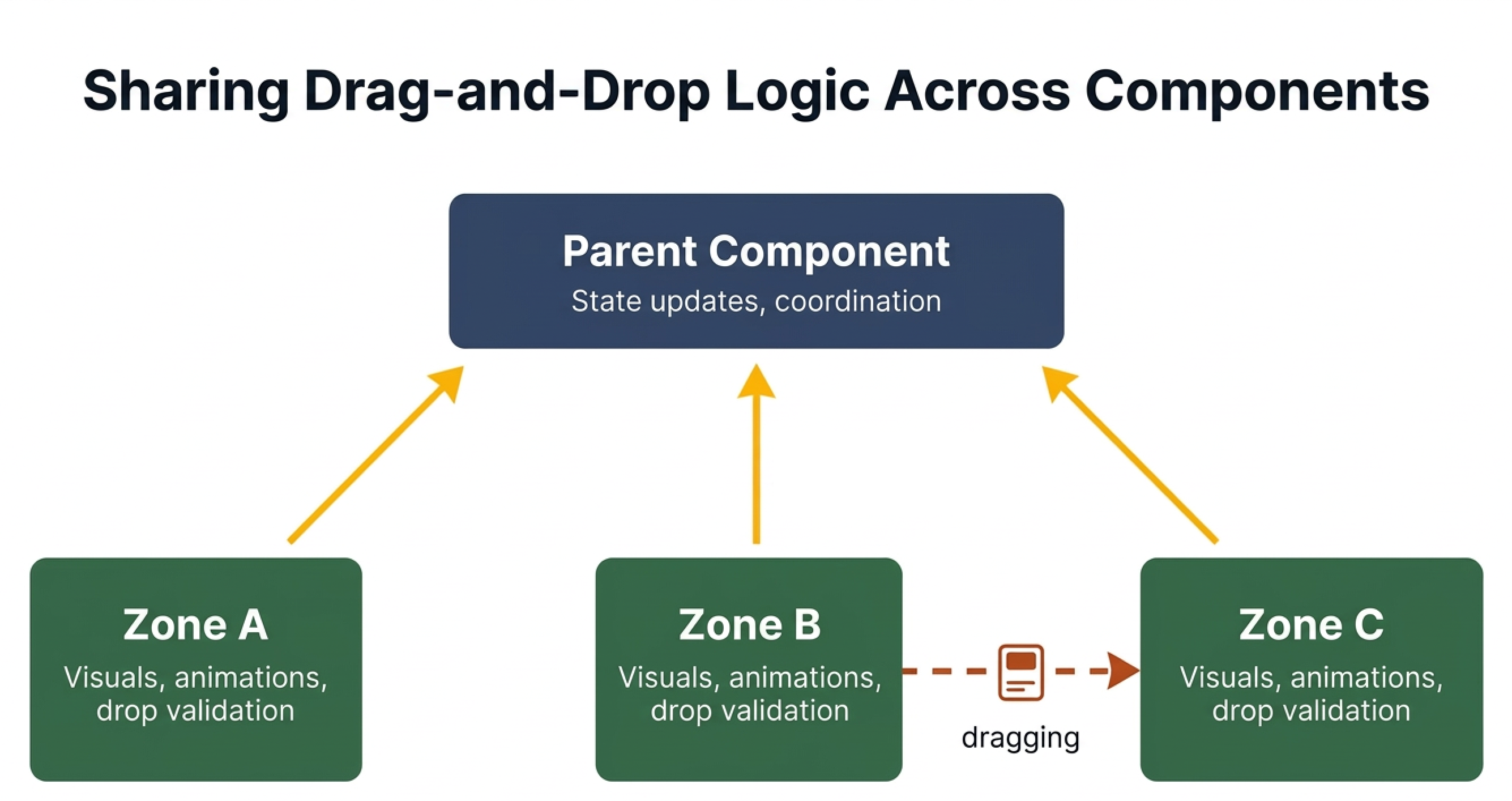
Diagram 3. How we split drag-and-drop between components
The Outcome
Technically, the task was completed on time. The monolith turned into a set of readable, reusable components with clear contracts.
But soon after that, the client revised the screen concept. The layout of the zones changed, some card scenarios were merged, and drag-and-drop received a different interaction model.
Some parts of the new architecture could have been reused, but supporting two parallel variants made the code more complex than the benefit justified. In the end, the refactoring branch was archived.
This case turned out to be useful not only as a refactoring exercise, but also as a reminder of how strongly architectural decisions depend on product context.
Even a technically sound solution can lose its relevance if the screen itself and its user flows change.
What We Took Away from This Case
1. Planned refactoring still needs to be aligned with the roadmap
Even if the technical need is obvious, it is important to understand whether upcoming changes will affect the structure of the screen itself.
2. Decomposition is best done before a component becomes critically complex
If one file starts to contain data, rendering, conditional display logic, and coordination of complex interactions, that is a clear sign the component should be split.
3. Even if a specific implementation never reaches production, the engineering effort is not wasted
The approaches to responsibility separation, component API design, and encapsulation of complex UI behavior can later be applied to other projects and help teams make better decisions faster.
This case reminded us that refactoring is not only about code quality, but also about product context. It is the combination of engineering discipline and awareness of business change that makes development truly mature.